Onlinebooking systemfor your salon
Grow your salon. Bookable brings your regulars back at the right time, sends the reminder and asks for a deposit straight away. For hair salons, barbers, nail studios, lash and brow studios, pedicurists and beauty salons.
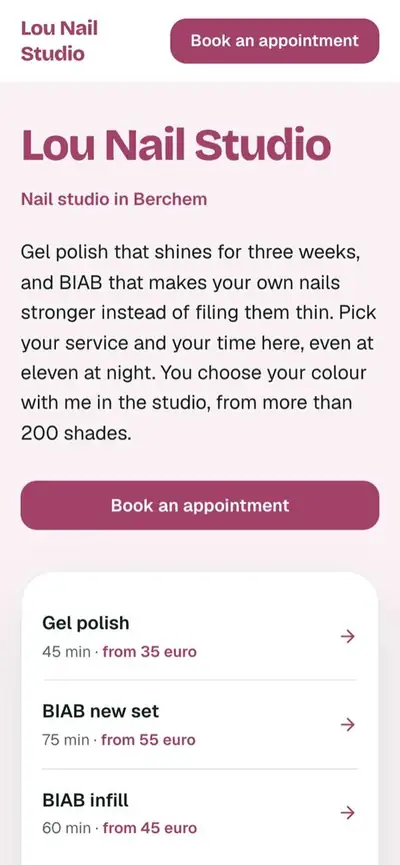
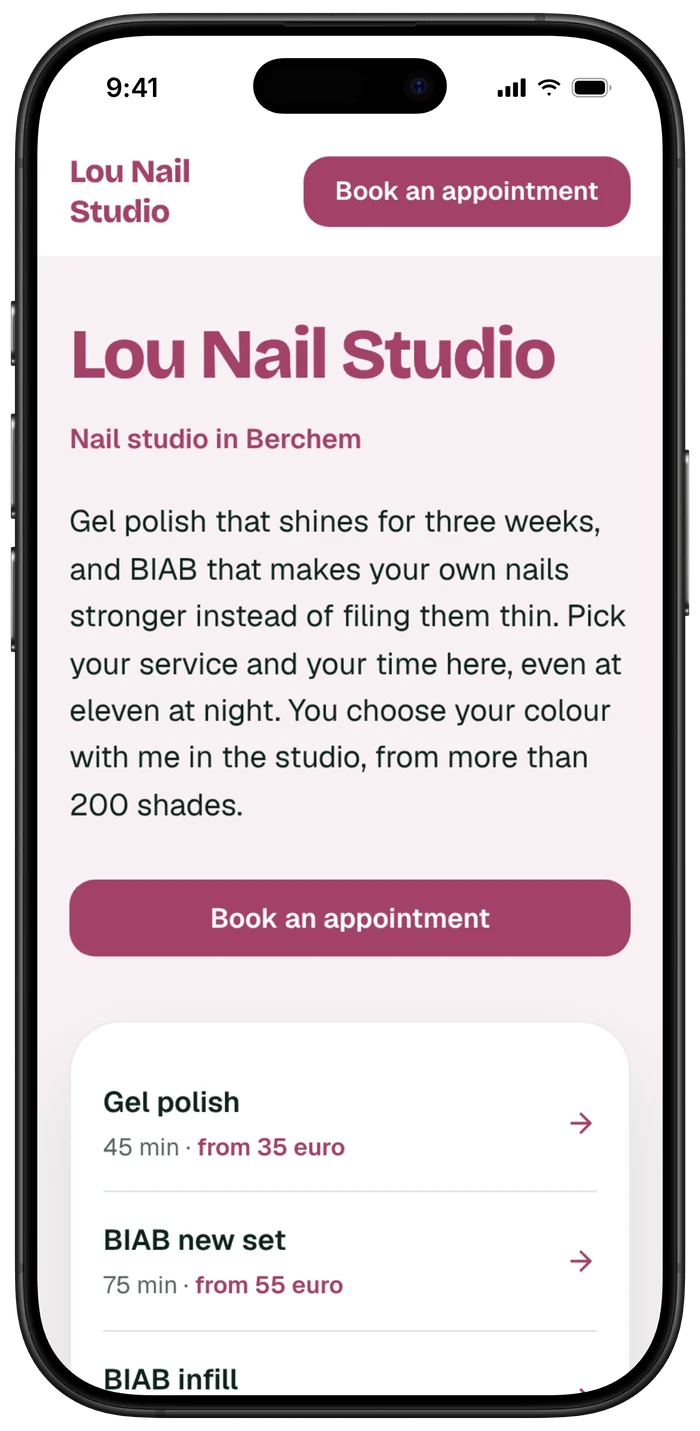
Your appointment at Lou Nail Studio is confirmed: Tuesday 3 November at 11:00 (BIAB new set).
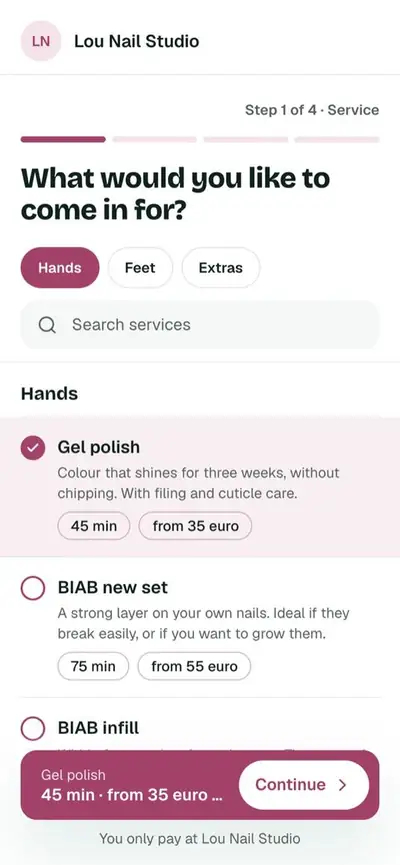
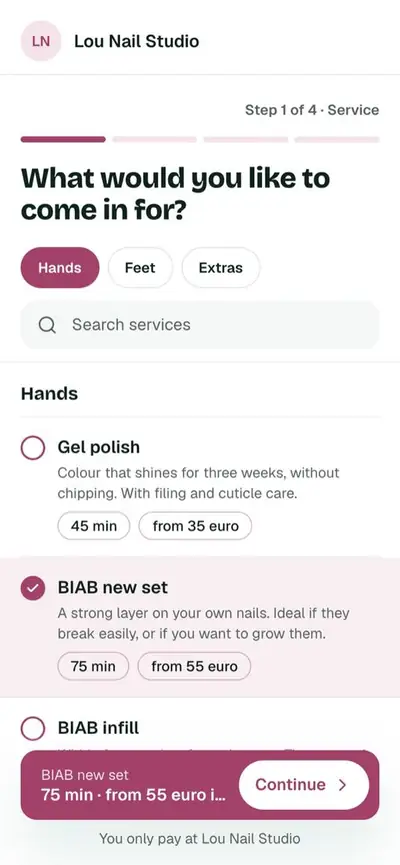
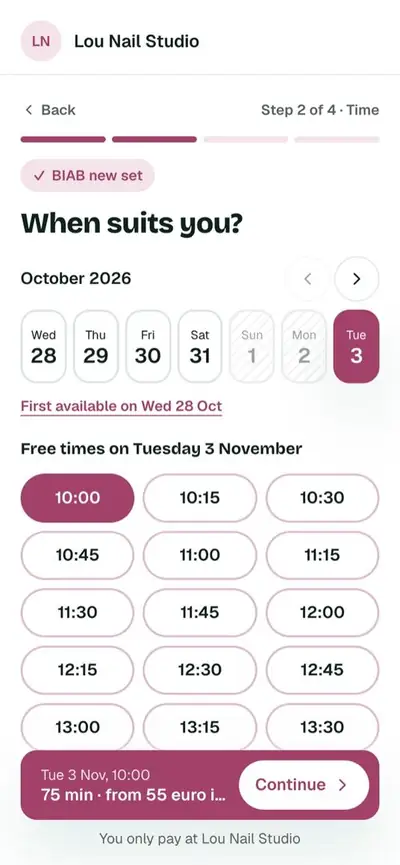
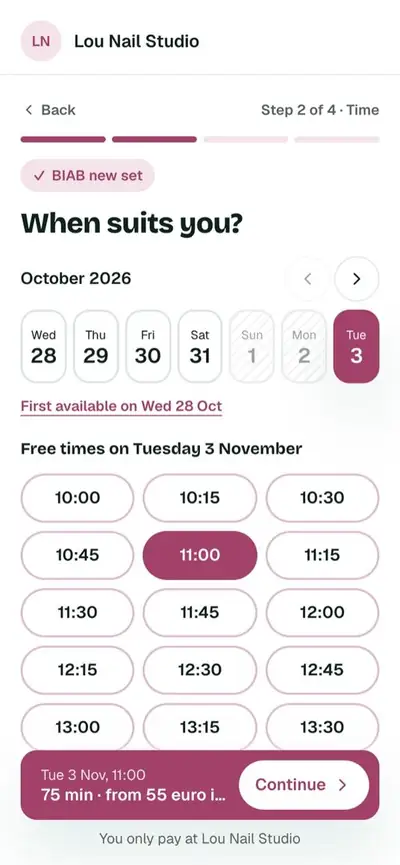
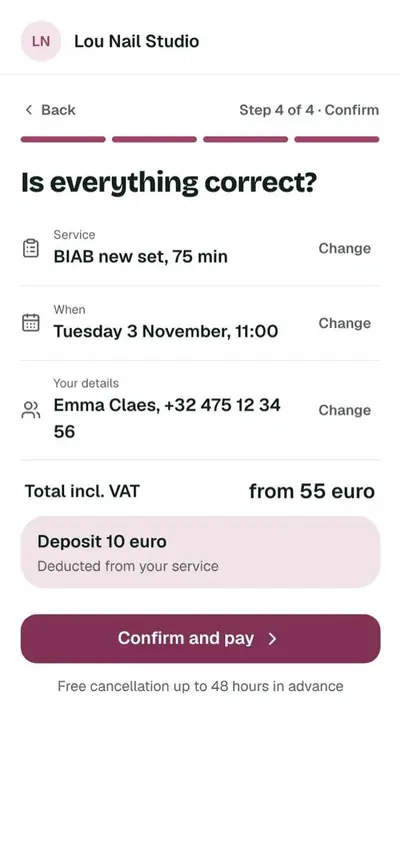
Your appointment is confirmed. You will get a confirmation by email straight away.
BIAB infill · 60 min
Calendar
Week of 5 to 11 OctoberEmma Claes, Tuesday 3 November 11:00, BIAB new set. €10 deposit paid with Bancontact.
Try it yourself.
This is the booking tool your clients see, on your own website, your mini-site or Instagram. Click around freely, nothing gets booked.
Four things you no longer do yourself.
While you are with a client, the rest just keeps running.
Deposit up front.
Your client pays a deposit with Bancontact or iDEAL when they book. If someone doesn't turn up, you already have the deposit. The money goes straight into your account.
Tue 6 Oct, 11:00€10
Wed 7 Oct, 09:00€10
Thu 8 Oct, 14:00€10
Clients book themselves, day and night.
In three steps, with no account and no app. The appointment shows up in your calendar straight away.
Fien Jacobs, gel polishBooked
Arne Mertens, BIABBooked
Sofie Vos, infillBooked
Reminders go out on their own.
By email, and by WhatsApp with Plus, at the time you choose: the day before or a few hours ahead. No charge per message.
On your own website, with no commission.
Your clients book on your domain. Nothing comes off your revenue, not even for a new client.
More clients, more revenue.
Other systems wait for a client to find you. Bookable helps you get found, brings your regulars back on time and shows you what it brings in.
Get found, without a marketing agency.
A short to-do list puts your booking link on Google, Instagram and Facebook. After every visit, Bookable asks for a Google review on its own.
More about growing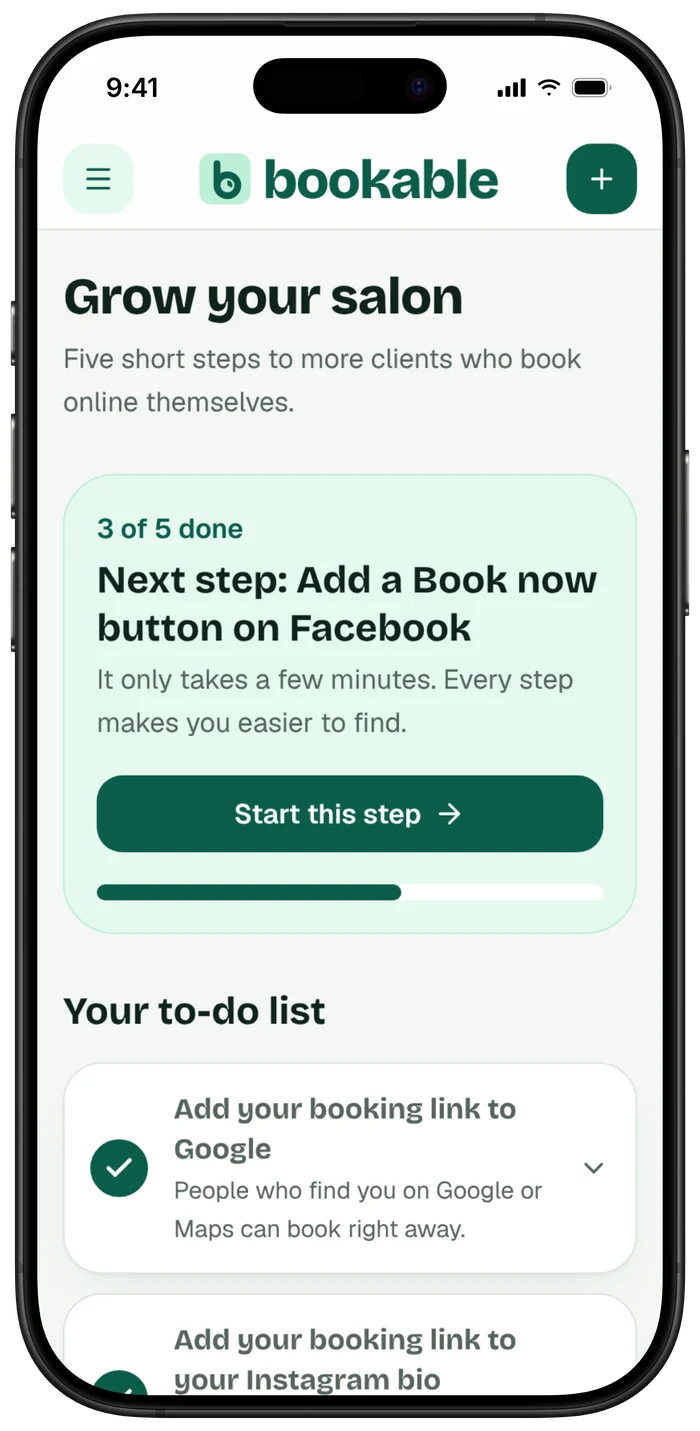
Your regulars come back on time.
Gel polish lasts three weeks, an infill four. Bookable knows and tells you who's due now. Your client gets an email on its own, you book with one tap.
More about rebooking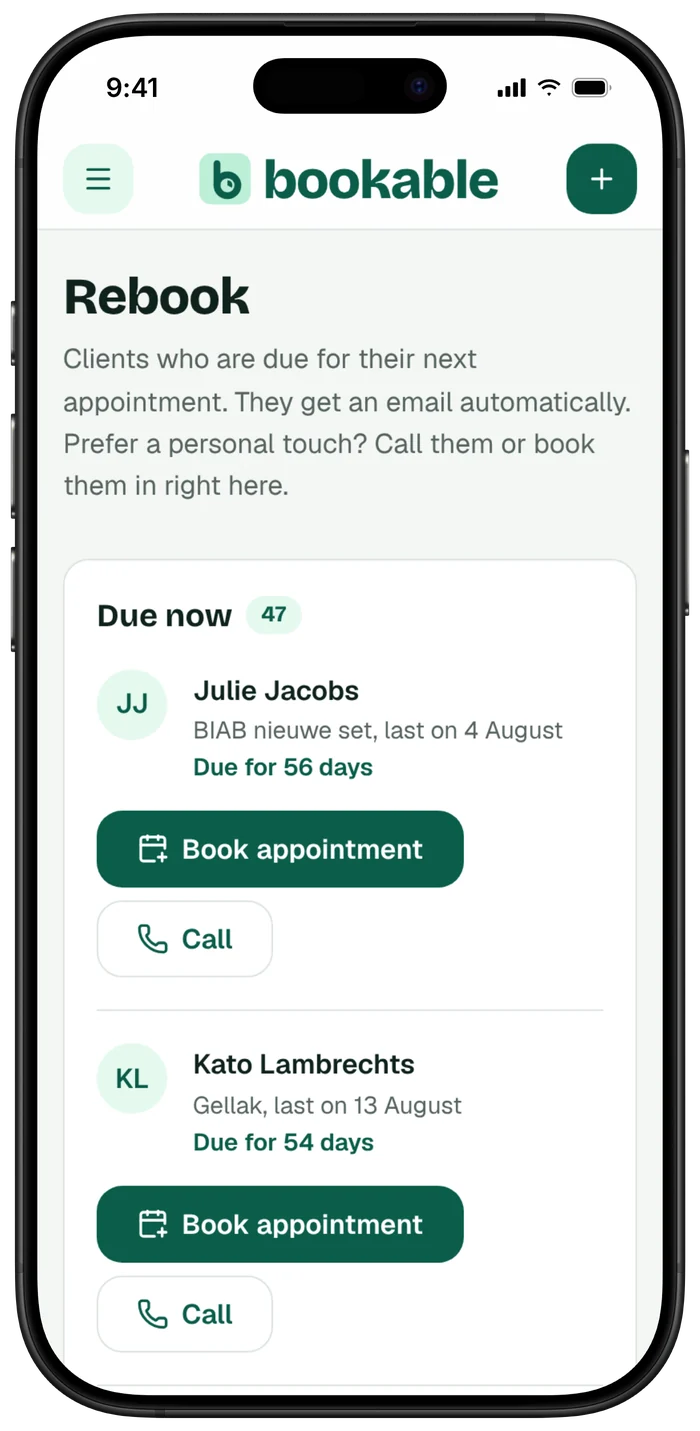
Know what you earn, every day.
No more notebook or spreadsheet. You see what's already in, what's planned and what's been paid online.
More about revenue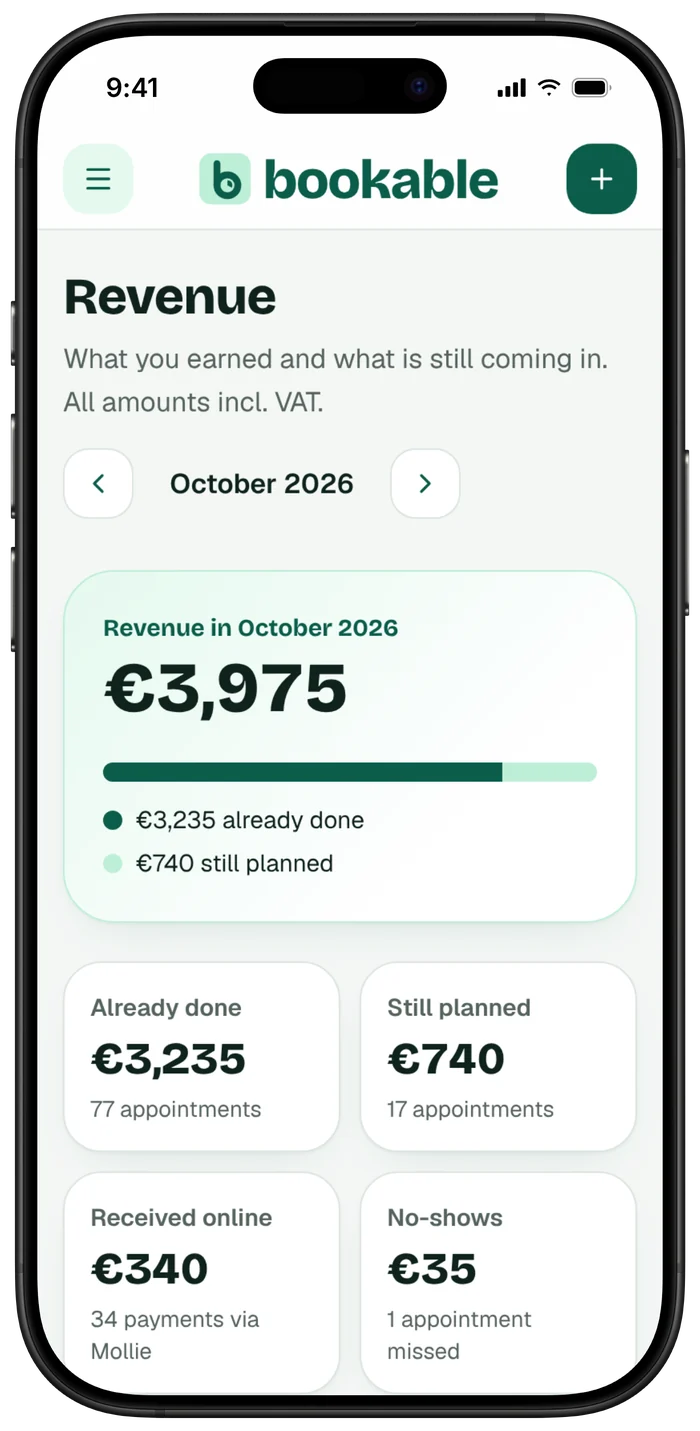
Everything your salon needs, every day.
With the same names as in the app. What's in each plan, you'll see under pricing.
No website? You get a mini-site.
Every plan comes with your own page, with your services, prices, photos and a button to book. With Plus on your own domain name.
- Ready in a few minutes
- Works on every phone
- Already have a website? Put the booking button on it
Prices, right here on the site.
No quote needed to find out what it costs. Two plans, no setup fees and no commission on your bookings.
Start
For people who work alone.
Excl. VAT, you pay €155.40 a year upfront.Excl. VAT, you pay every month.
You save €30.60 a year- One calendar
- Up to 60 appointments a month
- Confirmation and reminder by email
- Deposits via Mollie and Bancontact
- Clients move their own appointment
- Your own mini website and booking button
- Help from a real person
Plus
For a busy calendar or a team.
Excl. VAT, you pay €275.40 a year upfront.Excl. VAT, you pay every month.
You save €54.60 a year- Everything in Start
- Reminders via WhatsApp
- Up to 300 appointments a month
- One staff member included
- Extra staff member: €7.50 a month
- Waiting list
Already using another system? No problem.
Your appointments come with you
Silvio moves your upcoming appointments across with you, so nobody has to book again.
Your clients stay yours
Your client list moves to Bookable with you, and it always stays yours.
Your data comes with you if you stop
If you stop, you get an export of all your clients and appointments.
Questions we often get.
Can't find your question? Book a call and we'll go through it together.
How much does an online booking system from Bookable cost?
Start costs €12.95 a month and Plus €22.95 a month, both paid yearly, excl. VAT. There are no setup fees and no commission is taken from your bookings.
Do I need to enter my card to try it?
No. You try Bookable free for 14 days, without a card.
What happens after the 14 days?
If you haven't picked a plan or paid after 14 days, your account is paused. Your booking link goes offline, so nobody can book you. Your data is kept for at least 90 days and you get 3 emails, on day 12, 14 and 21. Pick a plan and pay, and everything switches back on.
Do you charge commission on my bookings?
No. Nothing comes off your bookings, not even for a new client. For online payments Mollie does charge a fee per payment, €0.39 with Bancontact. That goes straight to Mollie, not to us.
Do I pay extra per reminder or text message?
No. Email reminders are included in your subscription, and WhatsApp reminders with Plus.
What does a Bancontact payment cost?
You pay that fee directly to Mollie, per payment. The money goes into your account, and we're not in between.
Can I cancel?
Yes. If you pay monthly, you cancel monthly and it runs until the end of the current month. If you pay yearly, you cancel yearly: it runs until the end of your paid year, there is no refund and it does not renew. We email you 30 days before it renews.
How quickly can I be up and running?
Straight away. You create an account with Google or your email address, pick your trade, and the services for your trade are already there. You adjust them, and then you put the button on your website.
Do I need any technical skills?
No. You set everything up the way you fill in a form. If you get stuck, we'll help you out.
Do I need my own website?
No. Every plan comes with a mini website showing your services, prices, photos, address and opening hours, plus a link you can share anywhere. If you want a full website, we'll build it for you.
Does it work on my existing website?
Yes. You link a button to your booking link, or you build the booking page into a page on your site. That works on WordPress, Wix, Squarespace, Shopify and any other site.
Can someone set it up with me?
Yes. Book a call with Silvio and the two of you set up your calendar together.
How do I ask for a deposit?
For each service you choose whether a deposit is needed: a fixed amount or a percentage. Your client pays straight away with Bancontact when booking, and the amount is deducted from the service.
What if a client doesn't turn up?
If that client paid a deposit, you keep it in line with your own terms. For each service you choose whether a deposit is required.
Can clients reschedule or cancel themselves?
Yes, in Bookable. Within the rules you set, for example up to 24 hours in advance.
How do the reminders work?
By default, your client gets a reminder by WhatsApp and email the day before, with the time and anything they need to bring.
Do my clients need an account or an app?
No. Your client picks a service and a time, fills in their details and that's it.
Can I enter holidays and closing days?
Yes. You enter them once, and nobody can book on those days.
Does it work with several staff members?
Yes, with Plus. Each staff member has their own calendar, and your client chooses who to book with.
I already use another system. Can I switch?
Yes. Silvio moves your upcoming appointments and your clients across with you, so nobody has to book again.
Does my client data stay mine?
Yes. Your clients and appointments stay yours. If you stop, you take a full export with you.
What if I need help?
Send a message whenever you like, including evenings and weekends. A real person replies usually within one working day. If you'd rather go through it together, we'll book a call.
Start today, free for 14 days.
Create your account with Google or your email address. Your services are already set up for your trade.
Rather set it up together? I'm Silvio. Book a call and we'll get your calendar ready together.